Specs

Color
Grey
Model
ODK5A0
Product group
Personal Computer
Size
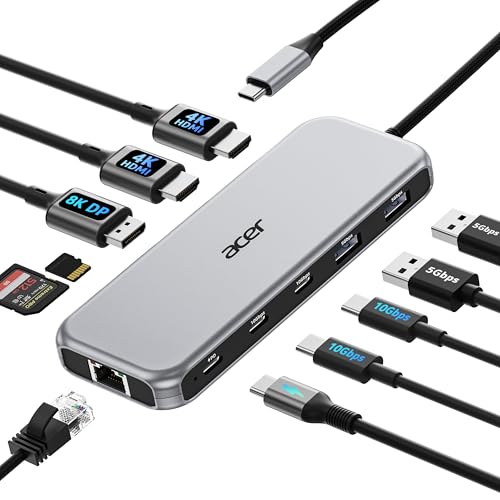
11-in-1

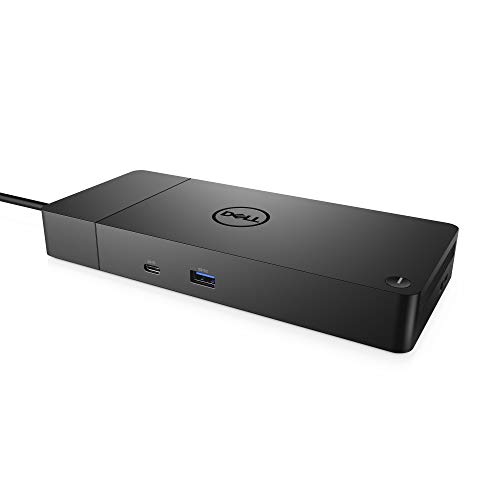
Acer 11-in-1 USB C Docking Station ODK5A0 Grey

Acer
$53.99 Checked 21 hours ago
View on Amazon
  • All in one Docking Station
  • Brilliant Triple Display Expansion
  • Super-Fast 10Gbps Data Transfer
  • Reliable 100W Charging
  • 1000Mbps Stable Ethernet

About this product

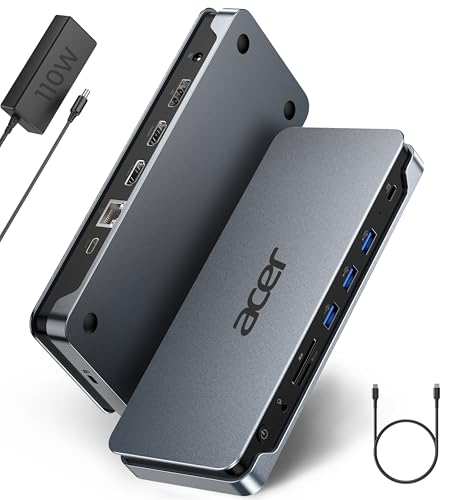
This high-performance hub features dual HDMI ports capable of 4K resolution at 60Hz and a DisplayPort reaching 8K at 30Hz, making it an ideal choice for professional multitasking. With 100W Power Delivery pass-through, it keeps your laptop charged while maintaining high-speed connections for peripherals via two USB-C and two USB-A ports.

Engineered for reliability, the device also includes a stable 1000Mbps Gigabit Ethernet port and integrated SD/MicroSD card readers for photographers and designers. Finished in a sleek grey aesthetic, this model is compatible with Windows and macOS laptops that support DisplayPort Alternate Mode, ensuring a unified workstation setup.
View on Amazon

Similar products

Questions

Does the Acer 11-in-1 Docking Station support triple monitors?

Yes, this docking station supports triple monitor setups by allocating bandwidth across the HDMI and DisplayPort outputs for efficient multi-display workflows.

What power output does this Acer docking station provide?

The Acer 11-in-1 unit supports up to 100W of power input and delivers 85W of consistent power to your laptop when using a compatible 100W power adapter.

Is the Acer ODK5A0 compatible with MacBook?

It is compatible with Mac laptops featuring DisplayPort Alt Mode, though please note that macOS currently only supports mirroring the same content across all external monitors.

What is the data transfer speed of the USB-C ports on this station?

The Acer docking station features two USB-C ports that provide high-speed data transfer rates of up to 10Gbps.

Does this Acer hub require a special laptop port?

Yes, your laptop must have a USB-C port that supports video output via DisplayPort Alt Mode to utilize the display and data features of this docking station.